Leaderboards
Compete with other players
Accessing the Leaderboard
- Open
/xp - Click the Leaderboard tab
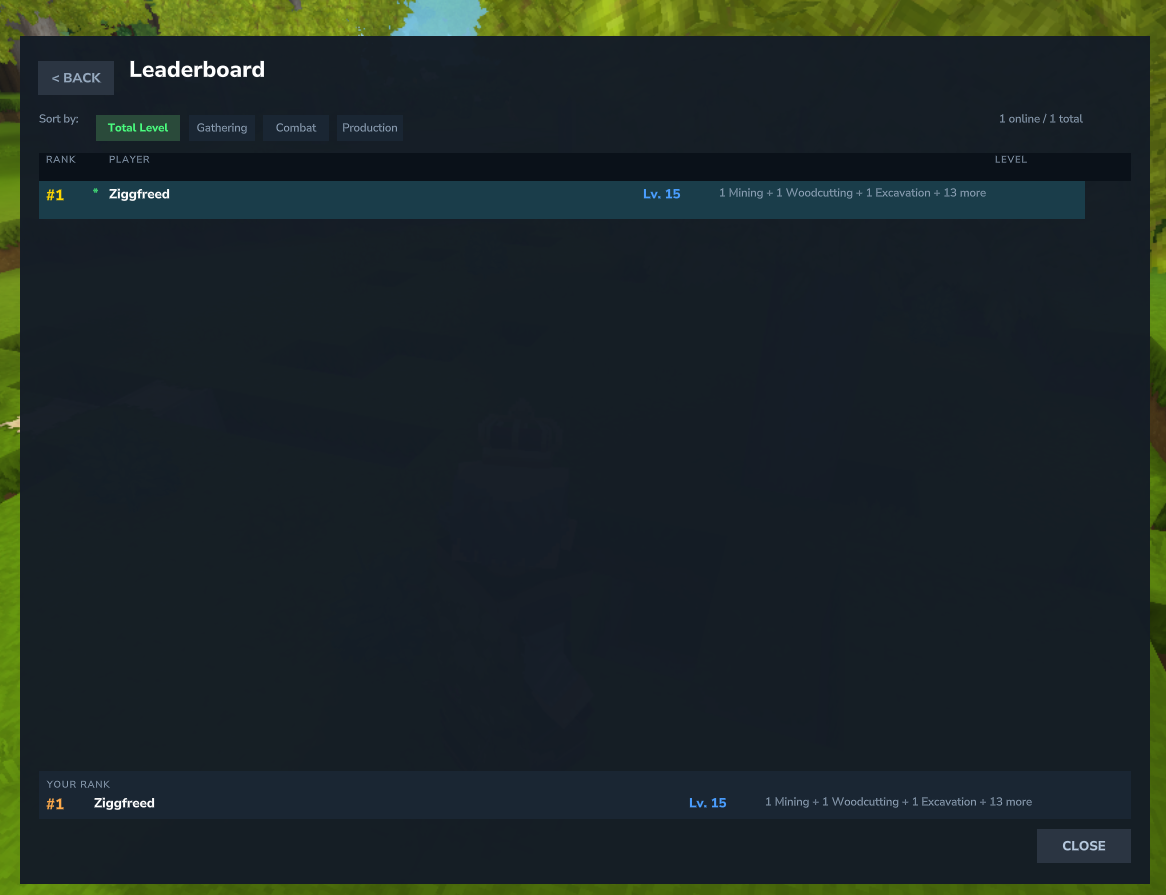
Features
- Player Rankings - See who has the highest levels
- Online/Offline Status - Green dot = online, gray dot = offline
- Category Filters - Sort by Total Level, Gathering, Combat, Production, or Misc
- Skill Filters - Drill down to individual skill rankings
- Skill Level Breakdown - Category and total views show each player's top skills by level (e.g., "15 Mining + 6 Woodcutting + 3 more")
- Your Rank - Always highlighted at the bottom
View Modes
When viewing Total Level, Gathering, Combat, Production, or Misc rankings, the XP column is replaced with a skill level breakdown showing each player's top 3 skills by level. When drilling down to a specific skill (e.g., Mining), the XP column is shown instead.
Category Filters
| Category | Skills Included |
|---|---|
| Total Level | Sum of all individual skill levels (e.g., Mining 50 + Woodcutting 50 = 100) |
| Gathering | Mining, Woodcutting, Excavation, Harvesting, Fishing |
| Combat | Swords, Daggers, Polearms, Staves, Axes, Blunt, Archery, Unarmed, Block, Taming, Acrobatics |
| Production | Crafting, Repair, Alchemy, Enchanting, Cooking, Smithing |
| Misc | Building (+ custom misc skills) |
When permissions are enabled, skill filters only show skills the player has access to.
Online Status Privacy
Players can choose to hide their online status from the leaderboard via the "Show Online Status" toggle in Settings.
- When hidden, the player always appears as offline (gray dot) to other players
- Admin bypass - Server admins (OP or
mmoskilltree.admin) always see true online status - Default: visible (same behavior as before)
Offline Player Support
The leaderboard shows both online and offline players:
- Player data is cached when XP is gained
- Cache is saved on server shutdown
- Online players show live data
- Offline players show cached data
Visual Indicators
- ● Green dot - Player is online
- ● Gray dot - Player is offline
Player Count
The header shows player count in format:
X online / Y total
Scrolling
The player list is scrollable for large servers. Your rank is always visible at the bottom of the page.
Technical Details
- Cache stored in
mods/mmoskilltree/leaderboard-cache.json - Updated automatically when players gain XP
- Thread-safe with ConcurrentHashMap
- Merges live online data with cached offline data
Multi-World Support
The leaderboard works correctly across multiple world instances (dungeons, temples, etc.). Player data is accessed safely to prevent cross-thread issues.