Getting Started
Learn how to install and start using MMO Skill Tree
Premium Add-ons
One-time purchases, never expire. The base mod is 100% free.
Installation
- Download the
.jarfile from CurseForge - Place in your server's
mods/folder - Start the server - configs are auto-generated in
mods/mmoskilltree/ - Start playing!
Your First Steps
Once installed, simply play the game! You'll gain XP automatically by:
- Mining blocks (ores, stone, gems)
- Chopping trees
- Digging soil, sand, and dirt
- Harvesting plants and crops
- Crafting items
- Building structures
- Fighting enemies with various weapons
Essential Commands
You only need one command:
| Command | Description |
|---|---|
/xp | Open the main UI — skills, rewards, quests, boosts, leaderboard, and settings |
/xpdisplay 10 | Only show XP gains ≥ 10 |
Understanding the UI
Skill Overview (/xp)
The main hub for all your skill progression. Use /xp to open it.
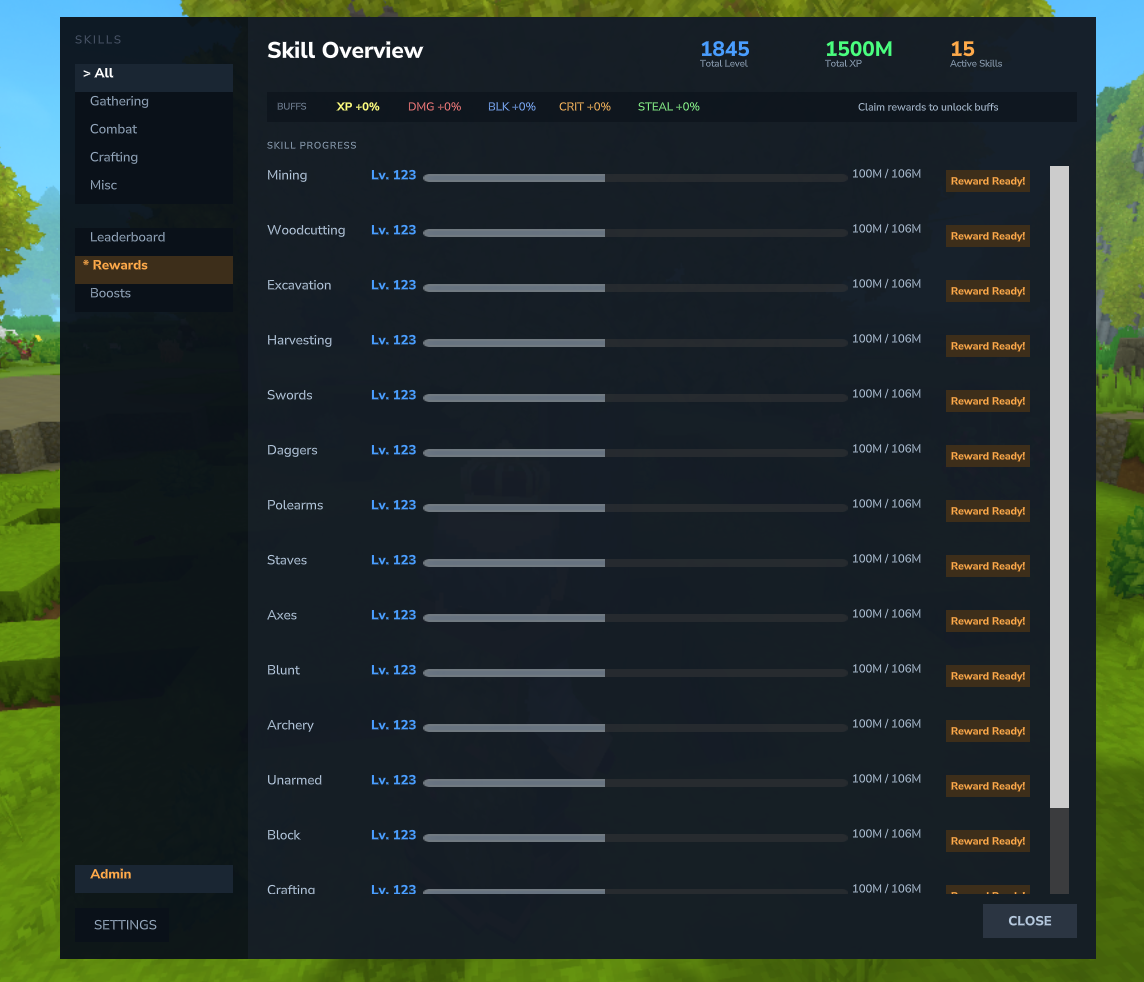
- Skill Cards - Each skill displays as a card showing name, level, progress bar, color-coded buff labels, tier progress, and next reward hint
- Total Level Card - A special summary card showing your combined level, total XP, and aggregate buffs
- Category Color Coding - Cards have colored accents: green for Gathering, red for Combat, orange for Crafting, purple for Misc
- Quick-Action Buttons - Each card has buttons to open the Skill Tree, Rewards, and Boost pages directly
- Buff Bar - See all active combat bonuses at the top (Damage, Block, Crit, Lifesteal)
- Filter by category: Gathering, Combat, Crafting, Misc
- Access Settings, Leaderboard, Rewards, Boosts, and Quests tabs from the sidebar
Skill Tree Page
Access the skill tree by clicking the "Skill Tree" button on any skill card in the /xp overview.
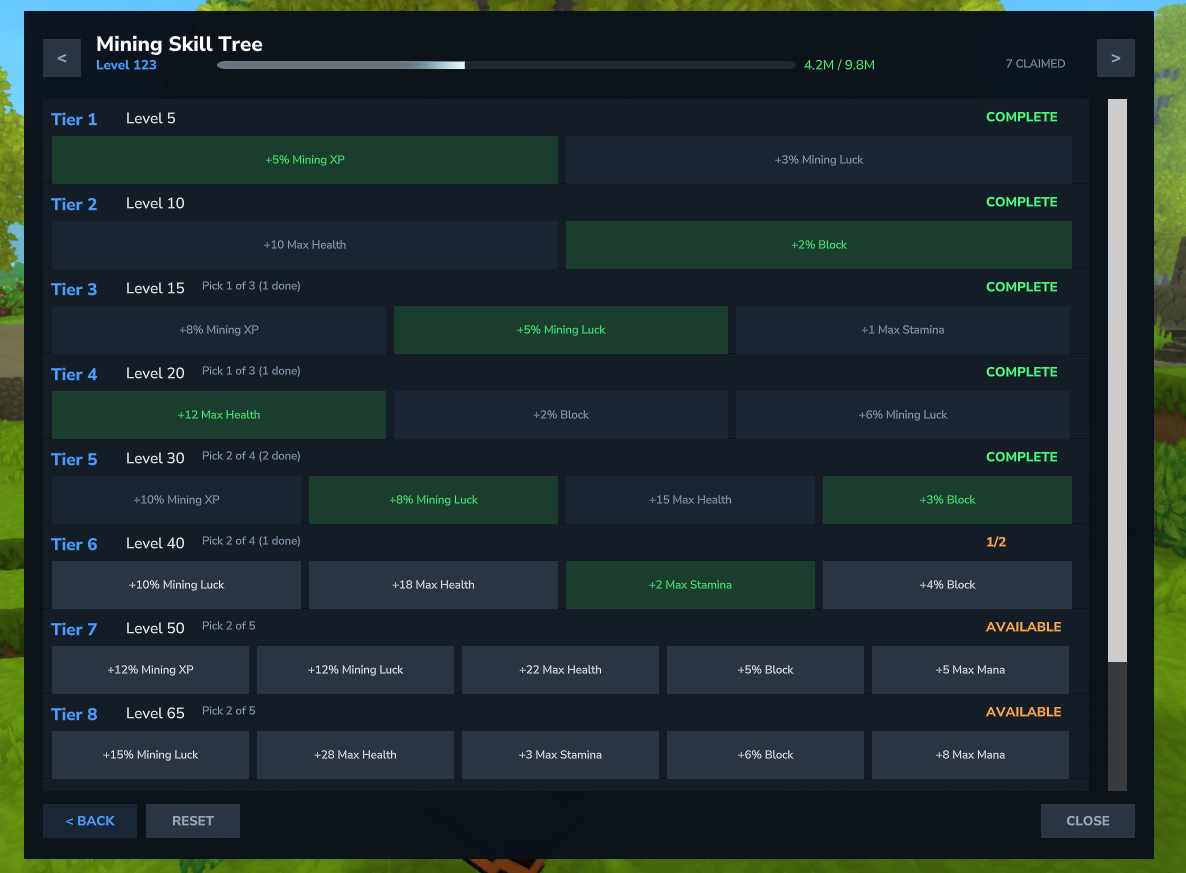
- Navigate between skills with arrow buttons
- See tier status: LOCKED, AVAILABLE, CLAIMED
- Claim rewards by clicking on available choices
- Reset button to respec your choices
Next Steps
- Learn about all 25 skills and how to level them
- Explore the skill tree rewards system
- Claim item rewards at level milestones
- Check the full command reference